How AI Music Generators Actually Work: A Plain-English Guide for 2026
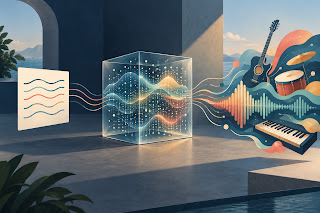
A few years ago, “AI music” mostly meant short, robotic loops that nobody wanted to listen to twice. Today you can type a sentence like “upbeat indie pop about a summer road trip, female vocals” and get a full song with verses, a chorus and a singer in a couple of minutes. For many people, that feels a little like isn’t magic, though, and understanding what is happening behind the button makes you much better at using these tools. This guide explains, without the jargon, how AI music generators work, what you can control, where they still fall short, and how to get better results from them.
What an AI music generator is
An AI music generator is software that creates new audio from an instruction. The instruction is usually a text prompt, but it can also be your own lyrics, a reference track, an image or a short video clip, depending on the tool. The output is an original piece of music, sometimes instrumental, sometimes with sung examples range from simple web apps to full creative suites. On , for example, the AI music generator accepts either a short description or complete lyrics and returns finished tracks, while all-in-one platforms like combine song generation with everyday audio utilities such as cutting, changing volume or finding a track’s key and tempo.
How the technology works, in simple terms
Step 1: Learning from huge amounts of music
Like other generative AI, music models are trained on very large collections of audio, often paired with descriptions such as genre, mood, instruments and tempo. During training, the model is not memorizing songs to play back. It is learning patterns: how a drum groove usually supports a bass line, how a chorus tends to lift in energy, how a voice moves from one note to the next.
Step 2: Turning sound into something a model can handle
Raw audio is enormous. One minute of high-quality sound contains millions of tiny measurements. To make it manageable, most systems first compress audio into a much smaller set of “tokens” or a compact internal representation, a bit like turning a long video into a series of key frames. The model works in this compressed space and a separate component turns the result back into listenable sound at the end.
Step 3: Reading your prompt
When you type “melancholic lo-fi hip hop with soft piano,” a language component converts your words into a numerical description the music model understands. Words like “melancholic,” “lo-fi” and “piano” each push the result in a certain direction. If you provide lyrics, the system also has to plan where each word falls in time so the singer can pronounce it on the beat.
Step 4: Generating, then refining
The model then builds the music step by step. Some systems predict the next slice of sound again and again, similar to how a chatbot predicts the next word. Others start from random noise and gradually “clean” it into music that matches the prompt, the same basic idea behind many AI image generators. Many modern tools combine approaches and add a final stage that improves audio quality and mixes vocals with the there is randomness in this process, the same prompt rarely produces the same song twice. That is why most generators give you two or more versions to choose from.
What you can control
The quality of your result depends heavily on the quality of your instruction. Most tools let you shape some or all of the following:
- Genre and sub-genre: “pop” is vague; “2000s pop-punk” or “Afrobeats with highlife guitar” is far more specific.
- Mood and energy: hopeful, tense, dreamy, aggressive, calm.
- Tempo: slow, mid-tempo, fast, or a specific BPM if the tool supports it.
- Instruments: acoustic guitar, 808 bass, string section, synth pads.
- Vocals: male, female, duet, choir, or instrumental only.
- Lyrics: your own words, or an AI-written draft that you edit.
- Length and structure: an AI music extender can continue a track from the exact point you choose, and some tools let you regenerate only one section.
What AI music does well
AI generators are very good at fast, good-enough-to-great music for everyday needs. Content creators use them for background tracks that won’t trigger copyright claims. Small businesses use them for jingles and ad music. Songwriters use them to hear a demo of an idea in minutes instead of days. Hobbyists use them to make birthday songs, inside jokes and are also excellent at exploration. If you are not sure whether your song should be a ballad or a dance track, you can hear both versions before lunch. An AI song remix tool takes this one step further: upload a vocal you already have and hear it re-performed as lo-fi, acoustic or synth-pop.
Where it still falls short
Being honest about limits helps you use these tools well:
- Lyrics can blur. Unusual names or fast passages are sometimes pronounced oddly. Simple, clear lines work best.
- Long-form structure is hard. Short songs usually hold together; longer pieces can wander or repeat.
- Fine control is limited. You can describe a mood, but you cannot always move one specific note or change one drum hit.
- Taste is still yours. The model can generate ten options. Deciding which one actually moves people is a human job.
A quick word on copyright
Generated tracks are new audio, but usage rights depend on each platform’s terms and your plan. If you plan to use music in ads, monetized videos or commercial releases, read the license section before publishing. Avoid prompts that ask the tool to imitate a specific living artist, and only upload recordings you own or have permission to use.
Five tips for better results
- Write prompts like a brief to a musician. Mention genre, mood, tempo, two or three instruments and vocal style in one or two sentences.
- Keep lyrics short and singable. Four to eight lines per section, with a clear, repeatable chorus.
- Generate several versions. Compare them side by side, then refine the prompt based on what you liked.
- Change one thing at a time. If you adjust genre, tempo and vocals all at once, you won’t know what made the difference.
- Finish in an editor. Trim, fade and balance the volume so the track fits your video, podcast or project.
The bottom line
AI music generators combine large-scale pattern learning, clever audio compression and a step-by-step generation process to turn a sentence into a song. They will not replace great musicians, but they have made original music accessible to almost anyone with an idea. Whether you try the music generator, or another tool, the same rule applies: the clearer your idea, the better the music you get back.